
Estimated reading time: 2 minutes
HOW TO UNLOCK YOUR POCKET EMBOSSING SEAL
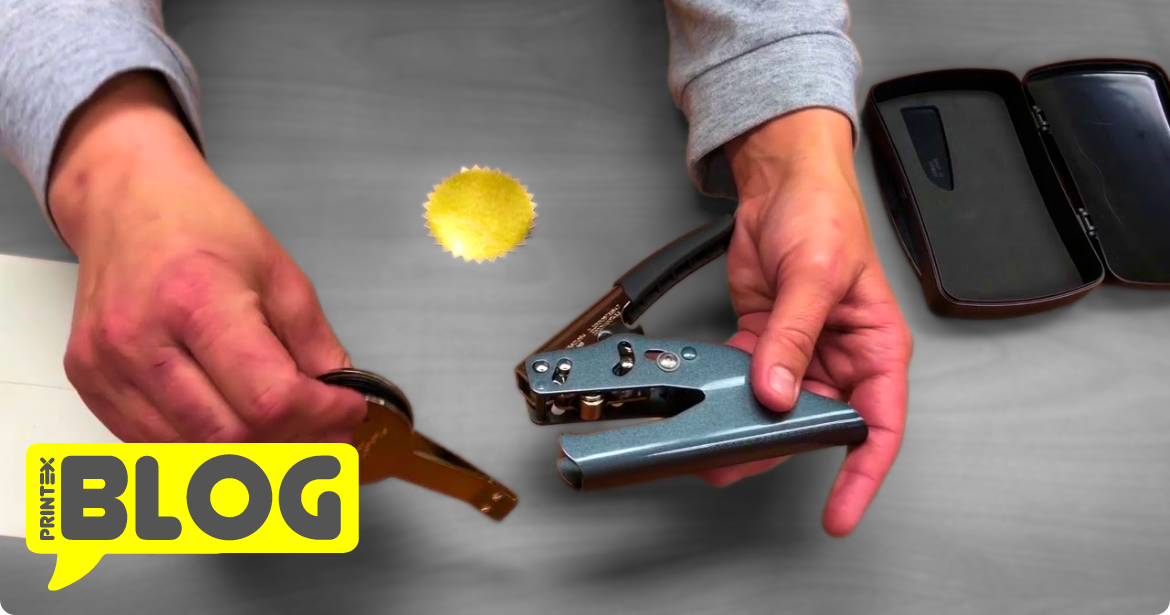
- How-To Change Embosser , hold it in your hand and squeeze it.
- Move the lock to the downward position.
- Your seal is now open.
- To remove the seal clip, pinch the top and bottom plate together and pull it out.
- Insert the new seal clip by pinching it together and aligning the prongs with the correct holes on the bottom.
- In order to know How-To Change Embosser, place the embosser in your hand and squeeze the embosser.
- Move the lock to the down position.
- our seal will now be in the open position and ready to use.
- To use the seal, insert your paper between the top and bottom plate, and squeeze with your hand to crimp the paper.
HOW-TO CHANGE THE INSERT IN YOUR SHINY DESK EMBOSSING SEAL
- In order to unlock your desk embosser, push down on the handle.
- Now, move the lock to the down position.
- Your seal will now be in the open position.
- To remove the Seal Insert (clip), pinch the top and bottom plate together and pull the insert out.
- Insert the new Seal Insert (clip), by pinching it together and lining up the prongs with the correct holes on the bottom.
HOW-TO UNLOCK YOUR SHINY DESK EMBOSSING SEAL
- In order to unlock your desk embosser, push down on the handle.
- Move the lock to the down position.
- Your seal will now be in the open position and ready to use.
- To use the seal, insert your paper between the top and bottom plate and squeeze with your hand to crimp the paper.
Check out below for some more helpful and insightful articled & products :